Skip to content

Virginia Family Dentistry offers patients the option to pay their bills online. Click the button below to access our secure payment portal. Please have your bill at hand for reference.
Online Bill Pay Instructions
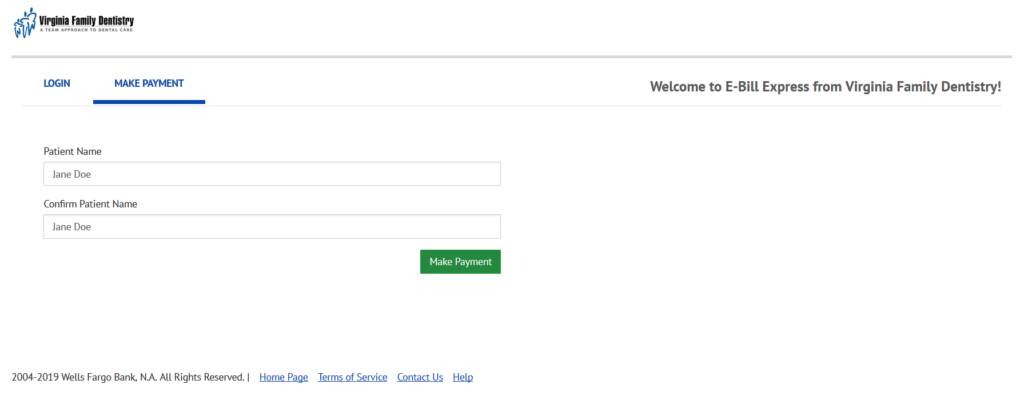
- At the first screen, enter the patient name exactly as it appears on the account, then click the green ‘Make Payment’ button.
- Continue filling in all information on the light blue portion of the screen. All fields should be completed.
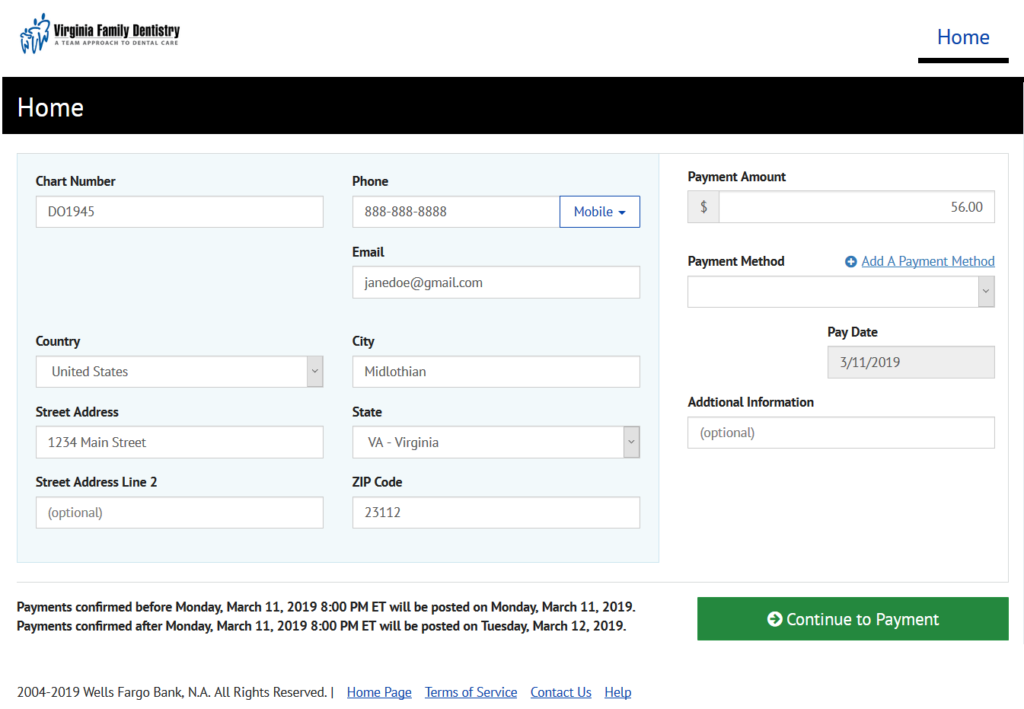
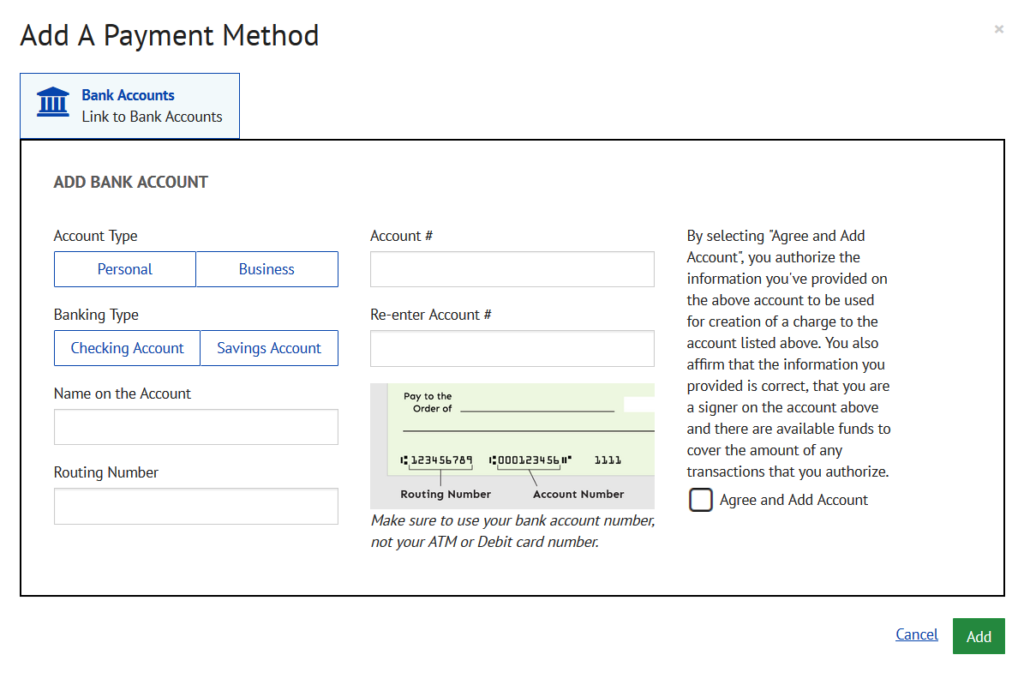
- In the right-hand boxes, enter your payment amount. If this is your first time using online bill pay, click the ‘Add a Payment Method’ button. Enter your bank account information, check the ‘Agree and add account’ box, and click the green ‘Add’ button.
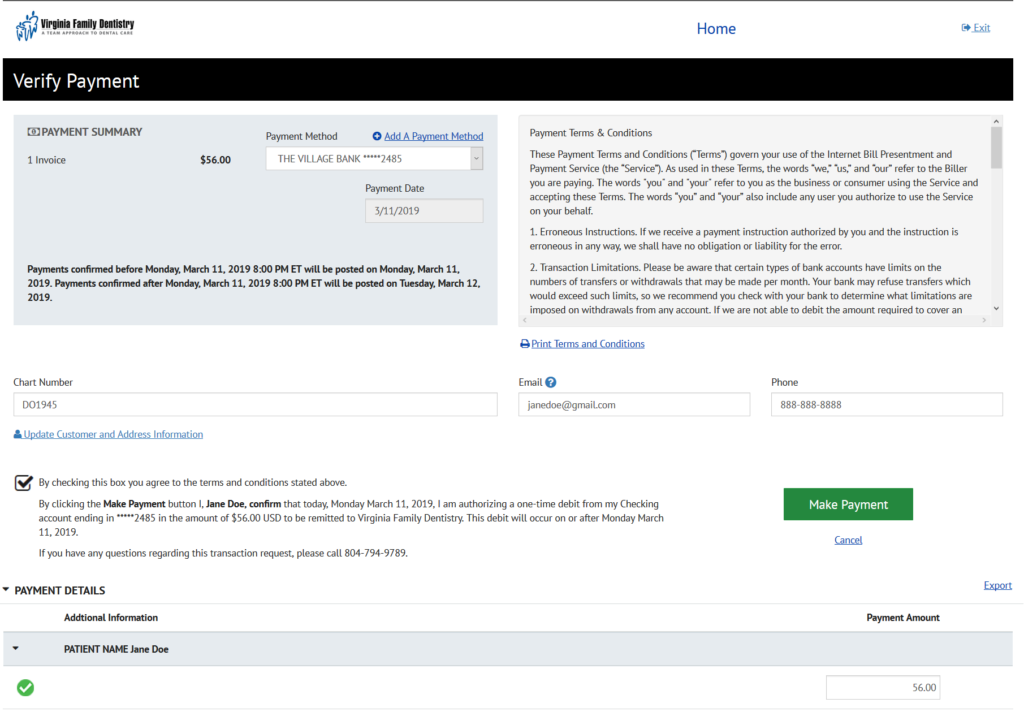
- On the final page, verify all information is correct. Check the box to agree to the terms and conditions, then click the green ‘Make Payment’ button.